

 By
By If you’ve been using countdown timers in email for years, you already know they work. They create urgency, boost clicks, and help customers take action before an offer disappears.
But until now, most countdown timers have looked… like countdown timers.
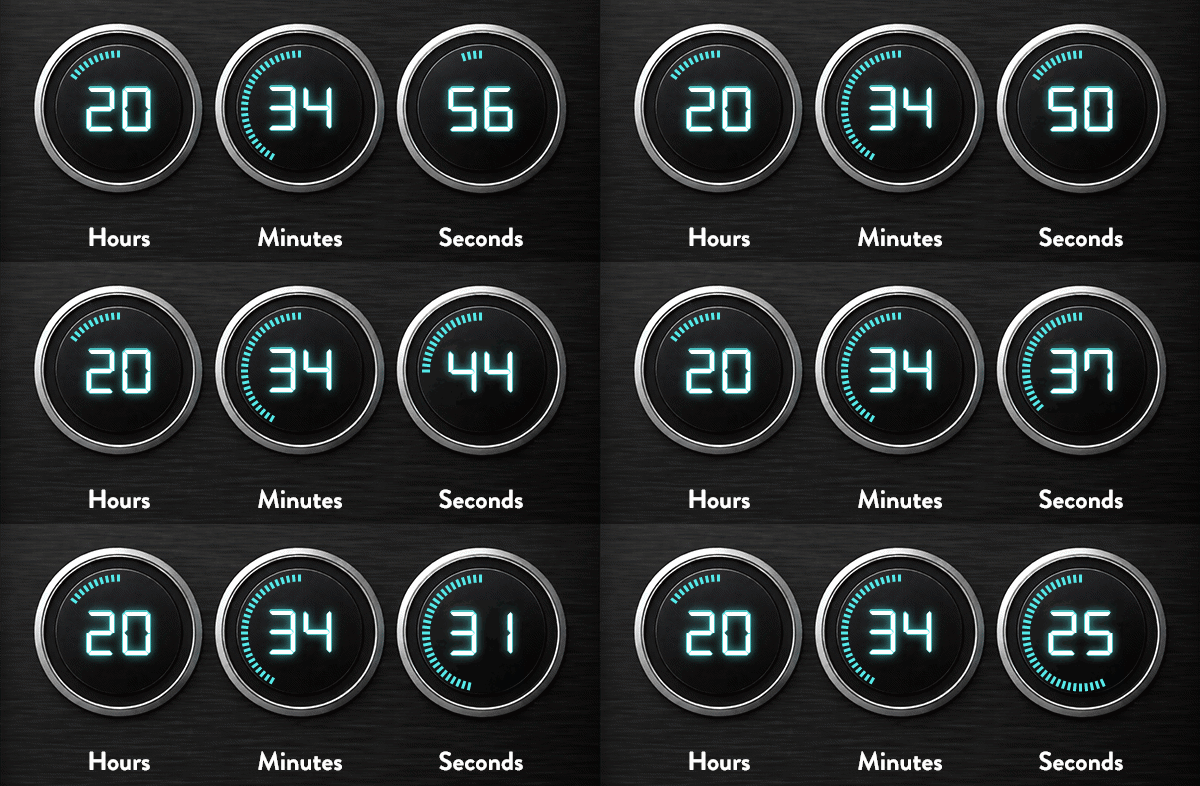
That’s why one of the biggest updates in the new NiftyImages UI is Timer Studio—a completely redesigned way to build countdown (and now count-up) experiences that feel like part of your brand.
And this is just the beginning. Timer Studio is one of many new features rolling out as part of the new NiftyImages experience—faster workflows, cleaner design, and more creative control than ever before.
What Is Timer Studio?
With Timer Studio, marketers can build fully customized timers using a drag-and-drop design canvas inside NiftyImages.
Instead of dropping in a basic timer widget, you can now design timers that feel like an extension of your campaign creative—with:
- Drag-and-drop layers
- Custom fonts and brand styling
- Animated effects
- Progress bars and charts
- Dynamic colors
- Count down or count up functionality
In other words: your timer is no longer just functional. It becomes part of the experience.

What’s the WIFM?
Urgency works. But urgency + design + personalization? That’s where things get interesting.
Timer Studio helps marketers turn “limited-time offer” messaging into something subscribers actually notice.
Instead of:
Sale ends in 2 days
You can create:
- A bold animated timer counting down to your VIP sale
- A product launch timer with live progress visuals
- A personalized timer showing when your trial expires
- A “days since you joined” loyalty anniversary celebration
Same urgency. Much stronger experience.
5 Smart Ways to Use Timer Studio
1. Flash Sales & Seasonal Promotions
Perfect for Black Friday, Mother’s Day, Memorial Day, or end-of-season promotions.
Add urgency directly into the hero creative:
“Only 6 hours left.”
And once the timer expires? Pair it with a Rule Set to automatically swap in your next offer.

2. Personalized Trial Expirations
SaaS brands can dynamically show each user their own trial countdown.
Examples:
- “Your premium access ends in 3 days”
- “Upgrade before your bonus expires”
No manual segmentation. No duplicate creative.
3. Product Launches
Build excitement leading up to a release.
Examples:
- “New collection drops in…”
- “Doors open in…”
Animated progress bars and gauges make launch campaigns feel even more alive.
4. Loyalty Milestones
Now with Count-Up mode, you can celebrate time instead of counting it down.
Examples:
- “You’ve been a member for 365 days”
- “12 months as a VIP customer”
This adds emotional value—not just urgency.
5. Live Event Campaigns
Webinars, sports events, product demos, conferences—anything with a start time becomes more engaging with a live timer.
Examples:
- “Kickoff starts in…”
- “Your session begins in…”
Why This Matters for the New UI
Timer Studio represents exactly where NiftyImages is heading:
More creative freedom.
More marketer control.
Less dependence on design or dev teams.
The new UI was built to help marketers go from idea to live campaign faster—with cleaner workflows, faster load times, and more flexibility across every image type.
And yes… there’s more coming.
This is only one of many new features launching inside the new NiftyImages experience.
Want an upgrade to your typical timer?
Stay up to date with our product updates and enhancements with NiftyImages What’s New.
With so many new features and added functionality, we know it can be a lot to take in. Reach out to us for a demo or strategy session!